
Utility
Calculator Hive
Calculator Hive is a free online calculator directory covering financial, mathematical, health, scientific, construction, business, and everyday questions.
Utility Hive is a broad directory of free browser tools for everyday work, planning, document handling, creative tasks, and technical utilities.
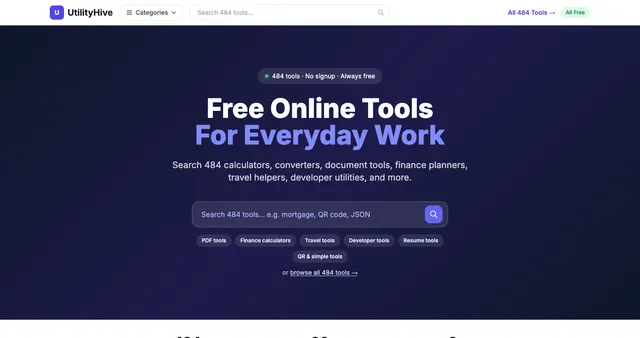
Utility Hive is a broad directory of free browser tools for everyday work, planning, document handling, creative tasks, and technical utilities. The reviewed homepage advertised 503 tools with no signup requirement. Its central product is not one specialized application but a searchable collection arranged around what a visitor is trying to accomplish. Popular shortcuts, recently added tools, intent-based groups, and category hubs help make a large catalog approachable. The emphasis is speed and convenience: identify a task, open the relevant tool, supply the required input, and use the result without first creating an account.
The range is unusually wide. Categories include simple utilities, finance, data lookup, text, developer tools, security, clocks, images and PDFs, audio, mathematics, health, fun, travel, cryptocurrency, astronomy, gaming, geography, education, browser utilities, SEO, stocks, foreign exchange, and commodities. Intent groups simplify this into money and planning, work and documents, travel and life, and utilities and fun. That structure is valuable because a visitor may know the job they need done without knowing the technical category under which a tool belongs.
Featured and popular tools give concrete examples of the experience. The homepage highlights a printable calendar generator with daily, weekly, monthly, and annual layouts, custom dates, orientation choice, preview, and PDF export. Other examples include word clouds, an interactive periodic table, word-frequency counting, line sorting and deduplication, JSON formatting, QR generation, simple background removal, PDF compression, and image-to-Base64 conversion. These are practical micro-workflows that can eliminate the need to install a larger application for a one-off task.
Planning and decision-support examples include mortgage affordability, currency conversion, workout plans, travel itineraries, resume tailoring, visa checklists, train-schedule searches, and calorie or macro estimates. Some of these are calculators, some generate structured suggestions, and others help the user find external information. They should not all be described as equally authoritative or fully automated. A visa checklist, for example, needs current official confirmation; a resume suggestion is not a hiring guarantee; a health estimate is not clinical guidance. The directory's breadth is best understood as a collection of helpers with individual capabilities and limitations.
Technical and security material includes password-strength checks, TOTP code generation, formatting, conversion, and developer-oriented utilities. The homepage labels several operations as local or browser-based, including some image and PDF tools. Sensitive inputs still require care: a tool's presence in a free directory is not proof of a security audit, and a broad privacy claim does not establish that every API-backed or AI-supported feature runs entirely on the device. The reviewed page also disclosed analytics and offered a consent choice. Users should inspect the selected tool's own behavior before entering private files, credentials, or financial data.
A typical journey might begin with a work document, move from text cleanup to PDF reordering, then export a result. A student could explore the periodic table and mathematical solvers, while a traveler could generate an itinerary and follow official entry-rule links. Overall, Utility Hive is a general-purpose toolbox rather than a curated authority on every subject it touches. Its distinctive value is breadth combined with task-based navigation and low entry friction. The best use is convenient assistance with bounded tasks, followed by checking important outputs and recognizing when a calculation, template, or generated suggestion needs professional or official verification.
Calculator Hive is a free online calculator directory covering financial, mathematical, health, scientific, construction, business, and everyday questions.
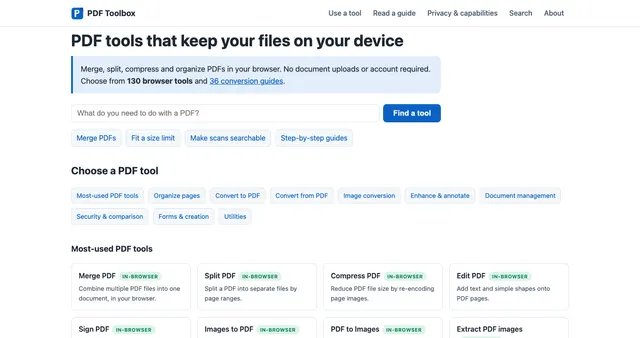
PDF Toolbox is a browser-based document utility website built around processing files on the user's device rather than uploading documents to a remote conversion service.
We use required browser storage to remember this choice. It is needed for the site to work as intended and is never used for tracking.
If you choose “Accept all”, we also use Google Analytics cookies to count visits and see which pages are useful.
“Accept required” gives you full access to every page. You can change your choice at any time from “Cookie choices” in the footer. Privacy policy